Reading Sensors - Distance Sensor
Reading Sensors - Distance Sensor
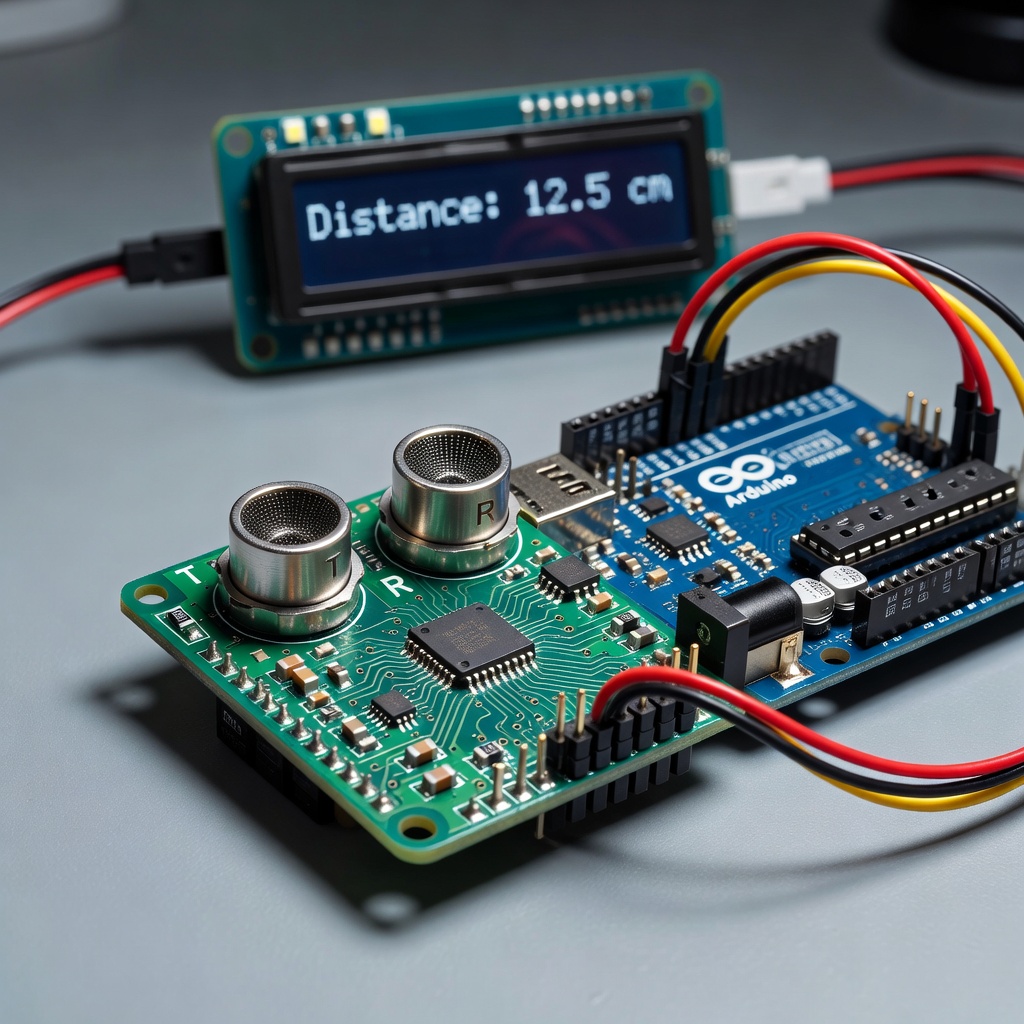
Understanding Sensors
Sensors are devices that convert physical quantities into electrical signals. Arduino can read these signals and use them in your code.
HC-SR04 Ultrasonic Distance Sensor
The HC-SR04 is a popular, inexpensive distance sensor that uses ultrasonic sound waves to measure distance.
How It Works
1. Send a 10μs pulse on Trigger pin 2. Sensor emits 8 cycles of ultrasonic burst 3. Echo pin goes HIGH for time sound travels 4. Calculate distance: distance = (time × speed of sound) / 2
Specifications
| Parameter | Value |
|---|---|
| Operating Voltage | 5V |
| Measuring Range | 2cm - 400cm |
| Accuracy | ±3mm |
| Beam Angle | 15 degrees |
Connecting the Sensor
Pin Connections
| HC-SR04 Pin | Arduino Pin |
|---|---|
| VCC | 5V |
| Trig | 9 |
| Echo | 10 |
| GND | GND |
Circuit Diagram
Arduino          HC-SR04
5V      ------  VCC
Pin 9   ------  Trig
Pin 10  ------  Echo
GND     ------  GND
Reading Distance
Basic Code
const int trigPin = 9;
const int echoPin = 10;void setup() {
pinMode(trigPin, OUTPUT);
pinMode(echoPin, INPUT);
Serial.begin(9600);
}
void loop() {
// Send ultrasonic pulse
digitalWrite(trigPin, LOW);
delayMicroseconds(2);
digitalWrite(trigPin, HIGH);
delayMicroseconds(10);
digitalWrite(trigPin, LOW);
// Measure echo time
long duration = pulseIn(echoPin, HIGH);
// Calculate distance (in cm)
int distance = duration / 29 / 2;
Serial.print("Distance: ");
Serial.print(distance);
Serial.println(" cm");
delay(500);
}
Using pulseIn()
pulseIn measures the duration of a pulse:
long duration = pulseIn(echoPin, HIGH);
This returns the time in microseconds.
Creating a Function
For cleaner code, create a function:
const int trigPin = 9;
const int echoPin = 10;int getDistance() {
digitalWrite(trigPin, LOW);
delayMicroseconds(2);
digitalWrite(trigPin, HIGH);
delayMicroseconds(10);
digitalWrite(trigPin, LOW);
long duration = pulseIn(echoPin, HIGH);
return duration / 29 / 2;
}
void setup() {
pinMode(trigPin, OUTPUT);
pinMode(echoPin, INPUT);
Serial.begin(9600);
}
void loop() {
int distance = getDistance();
Serial.print("Distance: ");
Serial.print(distance);
Serial.println(" cm");
delay(500);
}
Practical Project: Distance Indicator
Create an LED that changes based on distance:
const int trigPin = 9;
const int echoPin = 10;
const int greenLed = 7;
const int yellowLed = 6;
const int redLed = 5;void setup() {
pinMode(trigPin, OUTPUT);
pinMode(echoPin, INPUT);
pinMode(greenLed, OUTPUT);
pinMode(yellowLed, OUTPUT);
pinMode(redLed, OUTPUT);
}
int getDistance() {
digitalWrite(trigPin, LOW);
delayMicroseconds(2);
digitalWrite(trigPin, HIGH);
delayMicroseconds(10);
digitalWrite(trigPin, LOW);
return pulseIn(echoPin, HIGH) / 29 / 2;
}
void loop() {
int distance = getDistance();
// Turn off all LEDs first
digitalWrite(greenLed, LOW);
digitalWrite(yellowLed, LOW);
digitalWrite(redLed, LOW);
// Show distance with LEDs
if (distance < 10) {
digitalWrite(redLed, HIGH); // Very close
} else if (distance < 30) {
digitalWrite(yellowLed, HIGH); // Medium
} else {
digitalWrite(greenLed, HIGH); // Far
}
delay(200);
}
Other Popular Sensors
Temperature Sensor (TMP36)
int sensorPin = A0;void setup() {
Serial.begin(9600);
}
void loop() {
int reading = analogRead(sensorPin);
float voltage = reading * 5.0 / 1024.0;
float temperatureC = (voltage - 0.5) * 100;
Serial.print("Temperature: ");
Serial.print(temperatureC);
Serial.println(" C");
delay(1000);
}
Light Sensor (LDR)
int ldrPin = A0;void setup() {
Serial.begin(9600);
}
void loop() {
int lightLevel = analogRead(ldrPin);
Serial.print("Light: ");
Serial.println(lightLevel);
delay(500);
}
Motion Sensor (PIR)
int pirPin = 2;
int ledPin = 13;void setup() {
pinMode(pirPin, INPUT);
pinMode(ledPin, OUTPUT);
}
void loop() {
if (digitalRead(pirPin) == HIGH) {
digitalWrite(ledPin, HIGH);
} else {
digitalWrite(ledPin, LOW);
}
}
Summary
You've learned to read sensors with Arduino:
- HC-SR04 measures distance using ultrasound
- pulseIn measures pulse duration
- analogRead reads analog sensors
- digitalRead reads digital sensors
Next Lesson
In the next lesson, you'll learn to control servo motors.
Quiz - Quiz - Reading Sensors
1. What does the HC-SR04 sensor measure?
2. What function measures pulse duration?
3. What is the range of analogRead()?
4. What type of sensor is a TMP36?