Raycaster: Picking Objects with the Mouse
Raycaster: Picking Objects with the Mouse
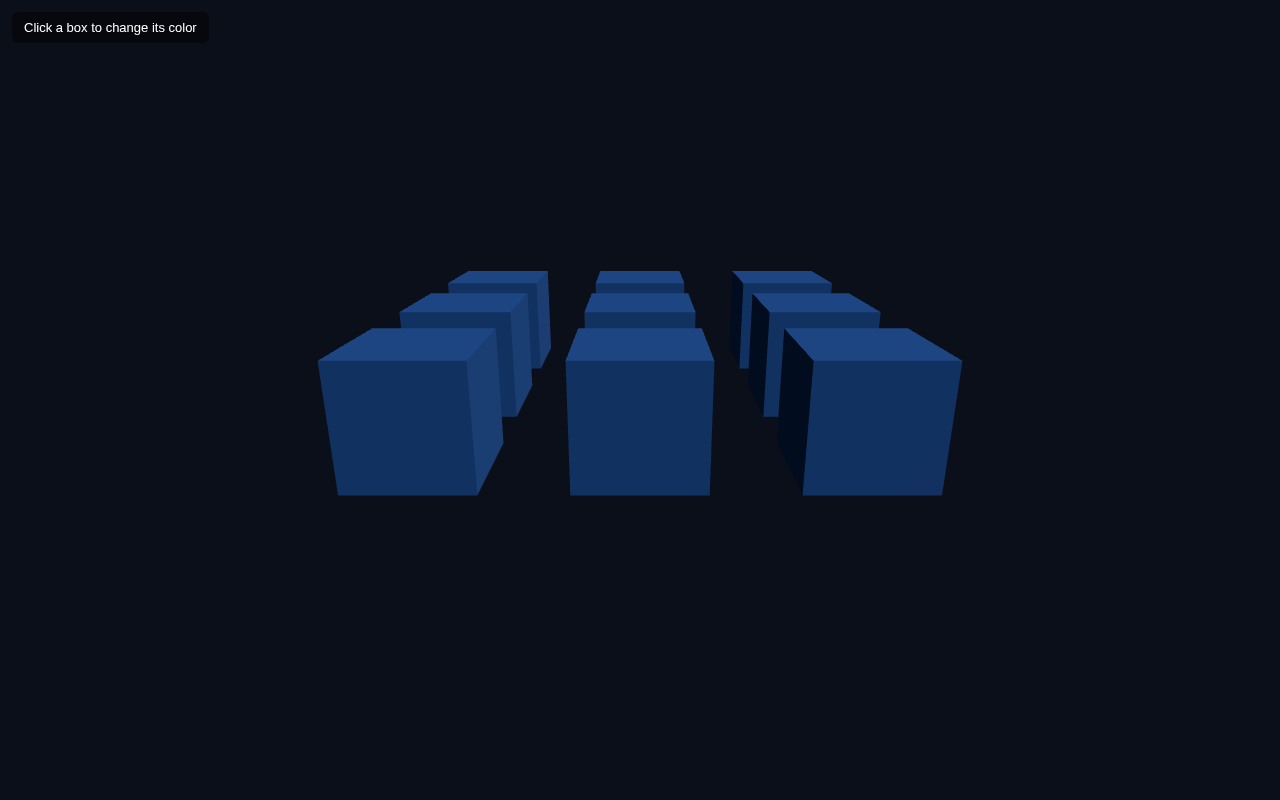
Making your scene interactive means letting the user click on objects. The tool for that is the Raycaster: it casts an invisible ray from the camera through the mouse cursor and tells you which objects that ray hits. In this lesson you build a 3x3 grid of boxes and click one to turn it red.
The Idea
A Raycaster answers one question: "given a ray in 3D space, which objects intersect it?" To convert a mouse click into a world-space ray, you transform the cursor position into normalized device coordinates and pass it (with the camera) to the raycaster.
Full Example
<!DOCTYPE html>
<html lang="en">
<head>
  <meta charset="UTF-8">
  <meta name="viewport" content="width=device-width, initial-scale=1.0">
  <title>Three.js – Raycaster Mouse Picking</title>
  <style>body{margin:0;overflow:hidden;background:#0b0f1a}
    #ui{position:absolute;top:12px;left:12px;color:#fff;font:13px sans-serif;z-index:10;background:rgba(0,0,0,.45);padding:8px 12px;border-radius:6px}</style>
</head>
<body>
  <div id="ui">Click a box to change its color</div>
  <script type="importmap">
    { "imports": {
        "three": "https://unpkg.com/three@0.160.0/build/three.module.js",
        "three/addons/": "https://unpkg.com/three@0.160.0/examples/jsm/"
    } }
  </script>
  <script type="module">
    import * as THREE from 'three';    const scene = new THREE.Scene();
    scene.background = new THREE.Color(0x0b0f1a);    const camera = new THREE.PerspectiveCamera(60, innerWidth / innerHeight, 0.1, 1000);
    camera.position.set(0, 2, 6);
    camera.lookAt(0, 0, 0);    const renderer = new THREE.WebGLRenderer({ antialias: true });
    renderer.setSize(innerWidth, innerHeight);
    document.body.appendChild(renderer.domElement);    scene.add(new THREE.AmbientLight(0x404040));
    const dir = new THREE.DirectionalLight(0xffffff, 1);
    dir.position.set(3, 4, 2);
    scene.add(dir);    const boxes = [];
    for (let x = -1; x <= 1; x++) {
      for (let z = -1; z <= 1; z++) {
        const box = new THREE.Mesh(
          new THREE.BoxGeometry(0.9, 0.9, 0.9),
          new THREE.MeshStandardMaterial({ color: 0x2f80ed })
        );
        box.position.set(x  1.5, 0.45, z  1.5);
        scene.add(box);
        boxes.push(box);
      }
    }    const raycaster = new THREE.Raycaster();
    const mouse = new THREE.Vector2();    renderer.domElement.addEventListener('click', (event) => {
      mouse.x = (event.clientX / renderer.domElement.clientWidth) * 2 - 1;
      mouse.y = -(event.clientY / renderer.domElement.clientHeight) * 2 + 1;      raycaster.setFromCamera(mouse, camera);
      const hits = raycaster.intersectObjects(boxes);
      if (hits.length) {
        hits[0].object.material.color.setHex(0xe02424);
      }
    });    function animate() {
      requestAnimationFrame(animate);
      renderer.render(scene, camera);
    }
    animate();
  </script>
</body>
</html>
Step by Step
Build the grid. Nested loops over x and z from -1 to 1 create 9 boxes in a 3x3 grid 1.5 units apart, and each one is pushed into a boxes array so we can pass them to the raycaster later.
Normalize the mouse. The browser gives us a cursor in pixels. Three.js wants normalized device coordinates (NDC) in the range -1..1:
- X:
(clientX / width) * 2 - 1 - Y:
-(clientY / height) * 2 + 1(inverted because screen Y grows downward).
raycaster.setFromCamera(mouse, camera) builds a ray that starts at the camera and passes through the cursor's world position. raycaster.intersectObjects(boxes) returns the list of boxes the ray crosses, sorted nearest-first.Respond. If there are hits, hits[0].object is the nearest clicked box, and we change its material colour to red. The whole flow takes just a few lines but gives you precise click targeting.
Try It Yourself
- Click different boxes and watch each one turn red when hit.
- Change the colour to cycle:
material.color.offsetHSL(0.1, 0, 0)for a rotating hue. - Only colour boxes you actually clicked by checking
hits[0].object === event.targetlogic or storing IDs. - Add OrbitControls and notice the ray still tracks the view because
setFromCamerauses the current camera.
Summary
The Raycaster converts a 2D mouse position into a 3D ray and tells you which objects it hits. It is the standard way to add click interaction in Three.js, and it powers the click-to-highlight behaviour in the final capstone project.
Next Lesson
Interaction is in place. The next lesson adds realism with shadows — enabling the renderer's shadow map so objects cast and receive shadows.
Quiz - Quiz - Raycaster
1. What does Raycaster do?
2. Mouse coordinates must be converted to which range before casting?
3. raycaster.intersectObjects(boxes) returns hits