Textures: Mapping Images onto Materials
Textures: Mapping Images onto Materials
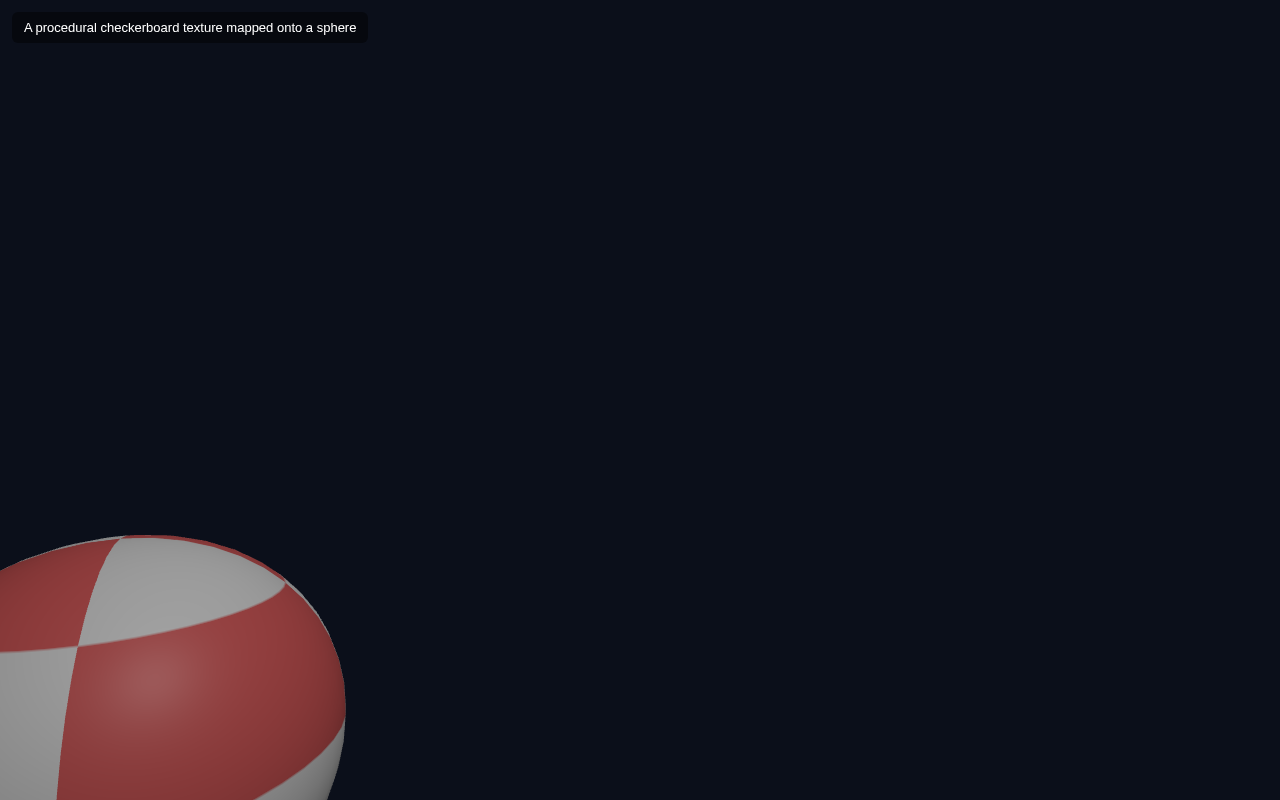
So far your materials are flat colours. Textures let you wrap an image around a 3D object so it can show patterns, photos, labels or logos. In this lesson you map a checkerboard pattern onto a rotating sphere using THREE.CanvasTexture — an image generated right in the browser, so no separate image file is needed.
Texture Sources
Three.js can load textures from several places:
THREE.TextureLoader().load('url.jpg')— from a file/URL.THREE.CanvasTexture(canvas)— from a 2D canvas you draw on (works everywhere, no file).- Generators, data textures, SVG, video frames, and more.
CanvasTexture because it shows the whole pipeline with zero external files — perfect for a self-contained downloadable example.Full Example
<!DOCTYPE html>
<html lang="en">
<head>
  <meta charset="UTF-8">
  <meta name="viewport" content="width=device-width, initial-scale=1.0">
  <title>Three.js – Textures</title>
  <style>body{margin:0;overflow:hidden;background:#0b0f1a}
    #ui{position:absolute;top:12px;left:12px;color:#fff;font:13px sans-serif;z-index:10;background:rgba(0,0,0,.45);padding:8px 12px;border-radius:6px}</style>
</head>
<body>
  <div id="ui">A procedural checkerboard texture mapped onto a sphere</div>
  <script type="importmap">
    { "imports": {
        "three": "https://unpkg.com/three@0.160.0/build/three.module.js",
        "three/addons/": "https://unpkg.com/three@0.160.0/examples/jsm/"
    } }
  </script>
  <script type="module">
    import * as THREE from 'three';    const scene = new THREE.Scene();
    scene.background = new THREE.Color(0x0b0f1a);    const camera = new THREE.PerspectiveCamera(60, innerWidth / innerHeight, 0.1, 1000);
    camera.position.set(3, 2, 4);    const renderer = new THREE.WebGLRenderer({ antialias: true });
    renderer.setSize(innerWidth, innerHeight);
    document.body.appendChild(renderer.domElement);    scene.add(new THREE.AmbientLight(0x404040));
    const dir = new THREE.DirectionalLight(0xffffff, 1);
    dir.position.set(3, 4, 2);
    scene.add(dir);    // 1) draw a checkerboard on an offscreen canvas
    const size = 256;
    const canvas = document.createElement('canvas');
    canvas.width = size; canvas.height = size;
    const ctx = canvas.getContext('2d');
    for (let y = 0; y < 4; y++) {
      for (let x = 0; x < 4; x++) {
        ctx.fillStyle = (x + y) % 2 ? '#e02424' : '#ffffff';
        ctx.fillRect(x  size / 4, y  size / 4, size / 4, size / 4);
      }
    }    // 2) wrap it in a texture and map it onto a material
    const texture = new THREE.CanvasTexture(canvas);
    const sphere = new THREE.Mesh(
      new THREE.SphereGeometry(1.2, 48, 24),
      new THREE.MeshStandardMaterial({ map: texture, roughness: 0.5 })
    );
    scene.add(sphere);    const clock = new THREE.Clock();
    function animate() {
      requestAnimationFrame(animate);
      sphere.rotation.y = clock.getElapsedTime() * 0.4;
      renderer.render(scene, camera);
    }
    animate();
  </script>
</body>
</html>
How the Texture Gets On the Ball
Draw an image. We create a 256x256 offscreen canvas and paint a 4x4 red-and-white checkerboard onto it with ctx.fillRect. This is ordinary 2D Canvas drawing.
Wrap it. new THREE.CanvasTexture(canvas) turns that canvas into a THREE.Texture.
Map it. The key line is in the material:
new THREE.MeshStandardMaterial({ map: texture, roughness: 0.5 })
Setting the material's map property to our texture tells Three.js to sample the image for each pixel of the sphere's surface, instead of using a flat colour. No colour is set, so the texture alone determines the look.
Rotate to show it. The sphere spins in the animation loop last lesson, which lets you see the checkerboard wrap all the way around the sphere — proof the texture is mapped across the whole 3D surface, not just splashed on the front.
Try It Yourself
- Change the checkerboard fill to solid stripes: paint vertical bands instead of a grid.
- Load a real image with
THREE.TextureLoader().load('my-photo.jpg')and map it the same way. - Put the texture on a
BoxGeometryinstead of a sphere to see it on flat faces. - Lower the sphere segments from
48, 24to12, 8to watch the texture follow the coarser surface.
Summary
Textures map an image onto a material's surface. You create or load one, wrap it in a THREE.Texture, and assign it to material.map. This turns flat-colour objects into anything from patterned balls to photographic worlds.
Next Lesson
Your scene is detailed and lit and animated. The next lesson makes it robust across devices by handling window resizing, so the canvas and camera stay correct at any screen size.
Quiz - Quiz - Textures
1. Which material property assigns a texture to an object?
2. THREE.CanvasTexture takes a
3. To load a texture from an image file you would use